- Home
- Apple MacBook Air M5 (2026)
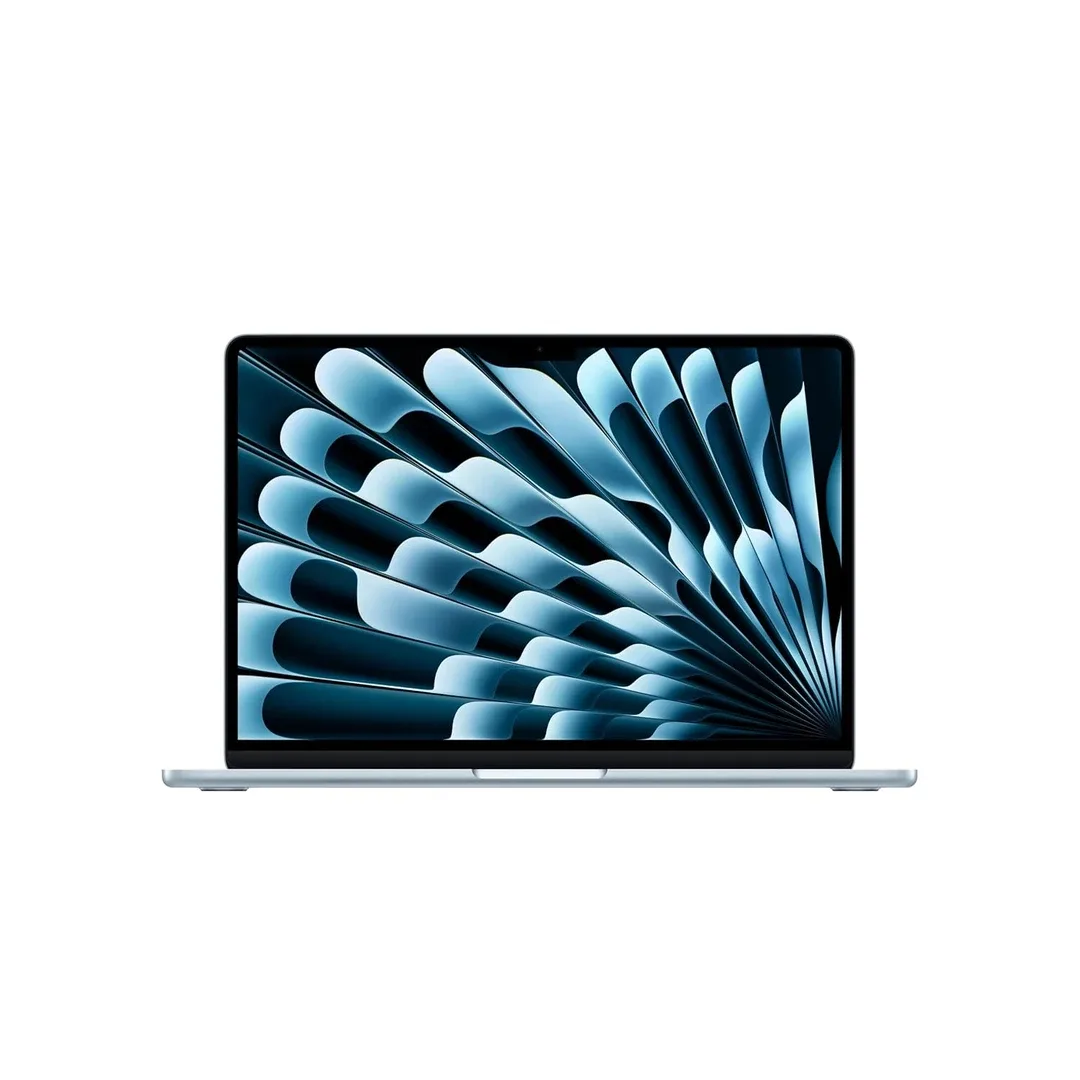
Apple MacBook Air M5 (2026)
Experience powerful everyday computing in an exceptionally thin and lightweight design with the Apple MacBook Air M5 (2026), a premium laptop featuring Apple's next-generation M5 chip, a vibrant Liquid Retina display, 16GB of starting unified memory, 512GB of starting SSD storage, Apple Intelligence and up to 18 hours of advertised battery life. Available in 13.6-inch and 15.3-inch screen sizes, the MacBook Air M5 combines advanced Apple silicon performance, a silent fanless design, modern wireless connectivity and seamless integration with the Apple ecosystem. Designed for students, professionals, programmers, business users and content creators, it offers a balance of performance, portability, efficiency and long-term usability.
Apple MacBook Air M5 (2026) – 13.6-inch Liquid Retina Display, M5 Chip, 16GB Unified Memory, 512GB SSD, Apple Intelligence and 18-Hour Battery
Officially announced on 3 March 2026, the Apple MacBook Air M5 introduces an upgraded generation of Apple's popular thin-and-light laptop. It combines the performance improvements of the M5 processor with faster SSD storage, modern wireless connectivity and the familiar premium aluminium MacBook Air design.
One of its biggest improvements is the Apple M5 chip, which features a 10-core CPU, an 8-core or 10-core GPU depending on configuration, a 16-core Neural Engine and dedicated Neural Accelerators within the GPU architecture.
The processor is designed to handle demanding everyday workflows, including multitasking, office productivity, programming, photo editing, supported video production and AI-assisted tasks.
The 2026 MacBook Air also introduces 512GB of SSD storage as standard, doubling the starting storage capacity compared with the previous M4 generation. Apple states that the updated SSD provides up to twice the read and write performance of its previous-generation reference under specified testing conditions.
For visual clarity, the 13-inch model features a 13.6-inch Liquid Retina display with 2560 x 1664 resolution, 500 nits of brightness, P3 wide colour support and True Tone technology.
Customers who prefer a larger workspace can choose the 15-inch model, featuring a 15.3-inch Liquid Retina display with 2880 x 1864 resolution.
The MacBook Air M5 continues Apple's fanless design approach, allowing it to operate without the noise of an internal cooling fan. This makes it particularly suitable for classrooms, libraries, offices and other quiet environments.
Apple also introduces its N1 wireless networking chip, providing Wi-Fi 7, Bluetooth 6 and Thread networking support for compatible devices and services.
A 12MP Center Stage camera with Desk View, a three-microphone array, Spatial Audio support and Thunderbolt 4 connectivity further strengthen its suitability for video meetings, study, entertainment and professional work.
The laptop supports up to 18 hours of video streaming and up to 15 hours of wireless web browsing under Apple's specified laboratory conditions.
Available in Sky Blue, Midnight, Starlight and Silver, the MacBook Air M5 combines modern technology with a minimal, elegant appearance.
This description is based on Apple's official specifications and published product information. Actual battery life, performance, application compatibility and AI feature availability depend on configuration, software and usage conditions.
Key Features of Apple MacBook Air M5 (2026)
- Apple M5 Chip: Next-generation Apple silicon designed for demanding productivity, creative applications and AI workloads.
- 10-Core CPU: Features four high-performance super cores and six efficiency cores.
- 8-Core or 10-Core GPU: Integrated graphics configurations depend on the selected model.
- Neural Accelerators: Dedicated AI acceleration within the GPU architecture.
- 16-Core Neural Engine: Supports compatible machine learning and intelligent processing workloads.
- 153GB/s Memory Bandwidth: High-speed unified memory architecture for supported computing tasks.
- Hardware-Accelerated Ray Tracing: Supports compatible graphics and rendering applications.
- 13.6-inch Liquid Retina Display: High-resolution screen on the compact 13-inch model.
- 15.3-inch Display Option: Larger workspace for multitasking and creative productivity.
- 500-Nit Display Brightness: Designed to provide clear visuals in typical indoor and suitable outdoor environments.
- P3 Wide Colour: Supports vibrant, accurate colour reproduction with compatible content.
- True Tone Technology: Adjusts display colour temperature according to ambient lighting.
- 16GB Starting Unified Memory: Standard memory configuration for everyday and demanding applications.
- Up to 32GB Unified Memory: Higher-capacity configurations available when ordered.
- 512GB Starting SSD: Double the previous generation's starting storage capacity.
- Up to 4TB SSD: Large configurable storage capacity for professional projects and files.
- Faster SSD Technology: Up to twice the read and write performance of the M4 generation in Apple's specified comparison.
- Up to 18-Hour Battery: Advertised battery endurance for supported video-streaming tests.
- Up to 15-Hour Wireless Web Browsing: Manufacturer-rated battery life for supported browsing activities.
- Fanless Design: Silent operation without an internal cooling fan.
- Thin Aluminium Body: Premium portable construction.
- 12MP Center Stage Camera: Automatically adjusts framing during compatible video calls.
- Desk View: Simultaneously presents the user and an overhead-style view of the desk in supported applications.
- Three-Microphone Array: Directional beamforming for voice communication.
- Spatial Audio: Immersive audio support with compatible content and hardware.
- Four-Speaker System: Integrated audio system on the 13-inch model.
- Six-Speaker System: Enhanced audio with force-cancelling woofers on the 15-inch model.
- Apple N1 Wireless Chip: Supports advanced wireless networking technologies.
- Wi-Fi 7: Modern wireless connectivity with compatible routers and networks.
- Bluetooth 6: Wireless connectivity for compatible accessories.
- Two Thunderbolt 4 Ports: High-speed USB-C data transfer and display connectivity.
- MagSafe 3: Dedicated magnetic charging connection.
- Two External Displays: Supports compatible multi-monitor configurations.
- Magic Keyboard: Backlit keyboard with Touch ID authentication.
- Force Touch Trackpad: Precision tracking with pressure-sensitive input.
- Apple Intelligence: AI-assisted writing, creativity and productivity features.
- macOS Integration: Access to Apple's desktop operating system and connected ecosystem.
- Four Colour Options: Sky Blue, Midnight, Starlight and Silver.
Apple M5 Chip – Next-Generation Laptop Performance
The MacBook Air M5 is powered by the Apple M5 chip, designed to combine high processing performance with efficient power consumption.
The processor uses Apple's integrated system-on-chip architecture, combining CPU, graphics, memory management, media processing and AI acceleration.
Its 10-core CPU includes four super cores and six efficiency cores.
The higher-performance cores are designed for demanding tasks, while the efficiency cores help manage suitable lighter workloads without unnecessary power consumption.
This combination supports responsive performance across web browsing, office applications, programming, document editing, image processing and other everyday computing activities.
The M5 also provides enhanced machine learning and graphics capabilities for compatible software.
Actual performance depends on the selected configuration, application optimisation, workload and operating conditions.
10-Core CPU – Smooth Productivity and Multitasking
The Apple M5 processor includes a 10-core CPU featuring four super cores and six efficiency cores.
The architecture is designed to distribute workloads between different processor cores according to their requirements.
Everyday tasks such as email, web browsing, presentations and document editing can benefit from efficient background processing.
More demanding applications may take advantage of the higher-performance cores.
Users working with development tools, spreadsheets, creative applications and multiple browser tabs can benefit from the processor's overall capabilities.
8-Core and 10-Core GPU – Integrated Graphics Performance
The 13-inch MacBook Air M5 is available with 8-core or 10-core GPU configurations, depending on the selected model.
The 15-inch MacBook Air M5 features a 10-core GPU.
Apple's integrated graphics architecture supports compatible games, visual applications, creative software and accelerated media tasks.
The GPU also incorporates Neural Accelerators for supported AI workloads.
Buyers who regularly use graphics-intensive software may benefit from the higher GPU configuration.
However, the MacBook Air is not designed to replace every capability of a high-power workstation or dedicated gaming laptop.
Neural Accelerators – Improved AI Processing
The Apple M5 introduces Neural Accelerators integrated into its GPU architecture.
These specialised processing components are designed to accelerate compatible artificial intelligence and machine learning tasks.
Supported applications can use this hardware for selected AI-based image, video and data-processing operations.
The architecture can benefit users working with modern creative applications and suitable local AI models.
AI performance depends on software support, model size, available memory and processing requirements.
16-Core Neural Engine – Intelligent Computing
The MacBook Air M5 includes a 16-core Neural Engine.
The Neural Engine is designed to accelerate compatible machine learning operations.
These may include supported image analysis, voice-processing functionality and intelligent application features.
The Neural Engine operates alongside the CPU, GPU and other processor components.
This hardware contributes to the MacBook Air's ability to run selected Apple Intelligence and third-party AI workloads.
153GB/s Unified Memory Bandwidth
The Apple M5 architecture provides 153GB/s of unified memory bandwidth.
Unified memory allows compatible processing components to access a shared pool of system memory.
This design can reduce unnecessary movement of information between separate memory systems.
High memory bandwidth can be beneficial for selected graphics, creative and AI-related tasks.
Overall performance still depends on available memory capacity and application requirements.
16GB Unified Memory – Standard Configuration
The MacBook Air M5 starts with 16GB of unified memory.
This capacity is suitable for a wide range of everyday productivity activities.
Users can work with supported browser tabs, office applications, communication tools and development environments.
Unified memory is shared across the CPU, GPU and other compatible components.
Unlike conventional desktop RAM modules, memory in the MacBook Air is not designed for user replacement or upgrades after purchase.
Buyers should choose the capacity according to their expected long-term requirements.
24GB and 32GB Unified Memory Options
The MacBook Air M5 can be configured with up to 32GB of unified memory.
Higher-capacity options are useful for demanding multitasking, large development projects and memory-intensive creative workflows.
Users working with virtual machines, large files or certain local AI applications may benefit from additional memory.
However, not every buyer needs the maximum available configuration.
For ordinary document editing, browsing and entertainment, the standard 16GB version may provide sufficient capability.
512GB SSD – Double the Starting Storage
One of the most practical upgrades in the 2026 MacBook Air is its 512GB starting SSD capacity.
The previous MacBook Air M4 generation started with 256GB of storage.
The increased capacity provides more room for applications, documents, photographs, videos and other files.
This is particularly useful for students and professionals who maintain substantial local file collections.
Available storage is lower than the advertised total because macOS and other system files occupy space.
Faster SSD Performance – Improved File Handling
Apple states that the MacBook Air M5 offers up to twice the SSD read and write performance of the previous generation under specified tests.
Faster storage can improve file copying, project loading and certain application workflows.
Users transferring large photo libraries or video files may benefit from improved storage performance.
However, actual transfer speed depends on file size, application behaviour and the performance of any connected external device.
Up to 4TB SSD Storage – Space for Larger Projects
The MacBook Air M5 supports configurable SSD storage options up to 4TB.
Available capacities include 512GB, 1TB, 2TB and 4TB, depending on the selected configuration.
Higher storage capacity can be useful for video projects, extensive photo libraries, application development and offline media collections.
Internal SSD storage cannot be upgraded by users after purchase.
Customers should compare Apple's upgrade pricing with the cost of compatible external storage before selecting a configuration.
13.6-inch Liquid Retina Display – Sharp and Vibrant Visuals
The 13-inch MacBook Air M5 features a 13.6-inch Liquid Retina display using LED-backlit IPS technology.
The display provides a native resolution of 2560 x 1664 pixels at approximately 224 pixels per inch.
It supports one billion colours, P3 wide colour and True Tone technology.
These specifications are designed to provide detailed text, vibrant photographs and a comfortable viewing experience.
The display is suitable for productivity, entertainment, photo editing and general creative work.
Unlike certain higher-priced MacBook Pro models, the MacBook Air does not feature an XDR mini-LED display or 120Hz ProMotion.
15.3-inch Liquid Retina Display – Larger Workspace
The 15-inch MacBook Air M5 features a 15.3-inch Liquid Retina display.
Its native resolution is 2880 x 1864 pixels at approximately 224 pixels per inch.
The larger screen provides additional workspace for spreadsheets, coding, document editing and multitasking.
Users can view more information without relying as frequently on an external display.
Both screen sizes support 500-nit brightness, P3 wide colour and True Tone.
The choice between them primarily depends on portability, preferred workspace size and budget.
500-Nit Brightness – Clear Everyday Viewing
Both MacBook Air M5 display sizes support 500 nits of brightness.
This brightness level is designed for comfortable viewing in common indoor environments.
It may also provide useful visibility in suitable outdoor lighting.
However, strong direct sunlight and reflections can still make laptop displays difficult to view.
Users regularly working outdoors should consider the limitations of a glossy display surface.
P3 Wide Colour – Rich and Accurate Visuals
The MacBook Air M5 supports P3 wide colour and approximately one billion colours.
Wide colour support allows compatible photographs and videos to display a broader range of colours than standard sRGB-only content.
This can benefit photography, graphic design and video-related activities.
Colour accuracy also depends on application settings, source material and calibration requirements.
Professionals performing colour-critical work should evaluate their specific display needs.
True Tone Technology – Adaptive Display Colour
The MacBook Air M5 includes True Tone.
This technology adjusts the display's colour temperature according to surrounding lighting conditions.
The adjustment is designed to make the screen appear more natural in different environments.
Users can disable True Tone when they prefer a fixed display colour temperature.
For colour-critical editing, consistent display settings may be more appropriate.
Fanless Design – Completely Silent Operation
The MacBook Air M5 maintains Apple's distinctive fanless cooling design.
Unlike laptops with active cooling fans, the MacBook Air does not use an internal fan to move air through the system.
This allows it to operate silently during suitable tasks.
The design is particularly useful in quiet classrooms, libraries, shared offices and recording environments.
However, fanless systems have thermal limitations during prolonged demanding workloads.
For frequent intensive 3D rendering, lengthy video exports or sustained high-performance computing, a MacBook Pro with active cooling may be more appropriate.
Thin Aluminium Design – Premium Portability
The MacBook Air M5 uses a premium aluminium unibody design.
The 13-inch model measures approximately 1.13cm in height and weighs around 1.23kg.
The 15-inch model measures approximately 1.15cm in height and weighs around 1.51kg.
These dimensions make the laptops convenient for carrying between home, college and office.
The slim construction also provides a minimalist appearance consistent with Apple's MacBook design philosophy.
Up to 18 Hours of Video Streaming
Apple advertises up to 18 hours of battery life during supported video-streaming tests.
The testing was performed using specific pre-production configurations and controlled conditions.
This makes the MacBook Air M5 suitable for buyers who prioritise portability and extended use away from power outlets.
Actual runtime varies with brightness, applications, wireless connectivity, external displays and processing demand.
Battery life during gaming, video exports or other demanding tasks can be substantially shorter than Apple's advertised video-streaming result.
Up to 15 Hours of Wireless Web Browsing
Apple specifies up to 15 hours of wireless web browsing under its test conditions.
This measurement provides another useful reference for everyday productivity.
Users browsing websites, reading documents and performing lighter online tasks may benefit from the processor's efficiency.
However, different websites and browser extensions can influence power consumption.
The advertised figure should not be treated as a guaranteed runtime for all users.
53.8Wh Battery – 13-inch Model
The 13-inch MacBook Air M5 contains a 53.8-watt-hour lithium-polymer battery.
The battery is designed to balance portability with useful endurance.
Its capacity works alongside the efficiency of Apple silicon and macOS power management.
Battery health and available capacity gradually change with age and charging cycles.
66.5Wh Battery – 15-inch Model
The 15-inch MacBook Air M5 includes a larger 66.5-watt-hour lithium-polymer battery.
The additional capacity helps support the larger display and internal hardware.
Apple advertises the same maximum 18-hour video-streaming endurance for both sizes under specified conditions.
Actual battery life depends on configuration and use.
MagSafe 3 – Convenient Magnetic Charging
The MacBook Air M5 features a dedicated MagSafe 3 charging port.
The magnetic cable is designed to connect securely during normal use and detach under certain pulling conditions.
This can help reduce the risk of the laptop being pulled from a desk if the charging cable is accidentally caught.
The dedicated charging connection also leaves the two Thunderbolt ports available for compatible accessories.
The laptop additionally supports charging through suitable USB-C power sources.
Fast Charging – 70W USB-C Power Support
The MacBook Air M5 supports fast charging with a compatible 70W or higher USB Power Delivery source.
This feature allows users to replenish battery capacity more quickly than with certain lower-wattage charging adapters.
Compatible charging accessories must meet the requirements of the selected laptop configuration.
Actual charging speed varies according to battery temperature, initial battery percentage and laptop usage.
Higher charging wattage does not mean the laptop continuously draws the maximum adapter output.
Apple N1 Wireless Chip – Modern Connectivity
The 2026 MacBook Air introduces the Apple N1 wireless networking chip.
The chip supports Wi-Fi 7, Bluetooth 6 and Thread networking technology.
These features provide a modern foundation for connecting to compatible wireless networks and accessories.
Actual performance depends on wireless environment, network hardware and software compatibility.
Wi-Fi 7 – Faster Compatible Wireless Networking
The MacBook Air M5 supports Wi-Fi 7, also known as IEEE 802.11be.
Wi-Fi 7 is designed to provide improved wireless network capabilities with compatible routers.
It can benefit suitable high-speed connections, large file transfers and connected workflows.
Performance depends on router features, internet service, signal strength and network congestion.
Wi-Fi 7 availability also varies by country and applicable regulations.
Bluetooth 6 – Wireless Accessories
The MacBook Air M5 features Bluetooth 6.
This provides connectivity with compatible wireless accessories such as keyboards, mice, headphones and speakers.
Bluetooth support is integrated into macOS for convenient pairing and device management.
Some advanced accessory features require additional hardware or software compatibility.
Two Thunderbolt 4 Ports – High-Speed Connections
The MacBook Air M5 includes two Thunderbolt 4 ports using USB-C connectors.
Both ports support compatible charging, data transfer and external display connections.
Thunderbolt 4 supports transfer rates up to 40Gbps with appropriate hardware.
The ports also support USB4 and DisplayPort functionality.
This makes it possible to connect compatible external SSDs, docks, monitors and other accessories.
Buying consideration: The laptop does not include built-in HDMI, Ethernet or USB-A ports. Some users may need adapters or a docking station.
Support for Two External Displays
The MacBook Air M5 supports up to two compatible external displays while simultaneously using its built-in screen.
Supported configurations include two external displays at up to 6K resolution at 60Hz, or selected 4K configurations with higher refresh rates.
Single-display configurations can support up to 8K at 60Hz or other compatible high-refresh-rate combinations.
Apple also supports connecting two external displays through a suitable single Thunderbolt connection.
External monitor compatibility depends on display hardware, cables, docks and supported configurations.
12MP Center Stage Camera – Improved Video Meetings
The MacBook Air M5 features a 12MP Center Stage camera.
Center Stage is designed to keep the user appropriately framed during supported video calls.
As a person moves within the camera's field of view, compatible software can adjust framing.
The feature is useful for virtual meetings, online classes and conversations.
The camera supports 1080p HD video recording and advanced image processing.
Desk View – Show Your Workspace
The MacBook Air M5 supports Desk View through its Center Stage camera.
The feature provides an overhead-style perspective of the area immediately in front of the laptop.
This can be useful for demonstrating handwritten notes, small objects or desk-based activities during compatible video meetings.
Desk View uses camera processing rather than a separate physical overhead camera.
The available field of view and image quality depend on laptop positioning and lighting.
Three-Microphone Array – Clear Voice Communication
Both MacBook Air M5 sizes feature a three-microphone array with directional beamforming.
The microphones are designed to capture speech during video calls and audio recordings.
Supported microphone modes include Voice Isolation and Wide Spectrum.
Voice Isolation can help reduce certain background sounds, while Wide Spectrum is designed to capture more surrounding audio when appropriate.
Actual microphone performance depends on environmental noise and the selected application.
Four-Speaker System – 13-inch MacBook Air
The 13-inch MacBook Air M5 features a four-speaker sound system.
The speakers support music, film playback, video calls and everyday audio requirements.
Compatible content can benefit from Spatial Audio and Dolby Atmos support.
Sound quality depends on recording quality, volume and listening conditions.
Six-Speaker System – 15-inch MacBook Air
The 15-inch MacBook Air M5 includes a six-speaker sound system with force-cancelling woofers.
The larger speaker configuration is designed to deliver fuller audio reproduction than the smaller model.
This can be useful for films, music and compatible video content.
Spatial Audio and Dolby Atmos support add further immersion with suitable media.
Spatial Audio and Dolby Atmos
The MacBook Air M5 supports Spatial Audio and Dolby Atmos with compatible media.
Spatial Audio processing is designed to create an immersive listening presentation.
Compatible AirPods models can also support dynamic head tracking.
Feature availability depends on the headphones, content and application.
3.5mm Headphone Jack – Wired Audio Compatibility
Unlike several modern portable devices, the MacBook Air M5 retains a 3.5mm headphone jack.
The audio connection supports compatible wired headphones and headsets.
Apple also provides enhanced support for high-impedance headphones.
This is useful for users who prefer wired audio or work with compatible monitoring equipment.
Backlit Magic Keyboard – Comfortable Typing
The MacBook Air M5 includes Apple's backlit Magic Keyboard.
The keyboard provides full-height function keys and supports comfortable typing in different lighting conditions.
The backlight helps make keys visible in dim environments.
Keyboard layout may vary by country and retail configuration.
Its design is suitable for extended writing, office work and programming.
Touch ID – Secure Authentication
The Magic Keyboard includes Touch ID.
Touch ID allows users to authenticate supported actions using a registered fingerprint.
This can simplify unlocking the Mac and authorising compatible purchases or password-related actions.
Users should maintain a strong account password and appropriate device security settings.
Force Touch Trackpad – Precise Navigation
The MacBook Air M5 features Apple's Force Touch trackpad.
The trackpad supports precise cursor movement, Multi-Touch gestures and pressure-sensitive controls.
Users can navigate between applications, manage windows and interact with documents without needing a separate mouse.
Force clicks and other supported gestures provide additional control options.
Apple Intelligence – AI-Powered Productivity
The MacBook Air M5 supports Apple Intelligence through compatible versions of macOS.
Apple Intelligence provides supported tools for writing, creativity, organisation and everyday assistance.
Features can include Writing Tools, text summarisation, image-related functions and intelligent system integrations.
Some processing takes place on the device, while selected functions may involve approved cloud-based services.
Important: AI feature availability depends on software version, language, region, account requirements and supported applications. AI-generated content should be checked for accuracy.
Siri AI – Intelligent Mac Assistance
The MacBook Air M5 supports compatible Siri AI capabilities.
Apple's evolving assistant is designed to help users interact with supported applications and system functions using natural language.
Available capabilities may include information requests, device assistance and selected productivity tasks.
The level of personal context awareness and application control depends on the installed macOS version and available Apple Intelligence features.
macOS – Integrated Desktop Experience
The MacBook Air M5 runs macOS, Apple's desktop operating system.
macOS provides the user interface, file management, application environment and security features of the MacBook.
The laptop was introduced during the macOS Tahoe generation, with future updates subject to Apple's software support policies.
Mac users can access compatible applications through the Mac App Store and other supported software distribution channels.
Buyers moving from Windows should verify that their essential applications and specialised software are compatible with macOS.
iPhone Mirroring and Apple Ecosystem Integration
The MacBook Air M5 supports several features designed to work with compatible Apple devices.
These can include:
- iPhone Mirroring
- AirDrop
- Universal Clipboard
- Handoff
- Continuity Camera
- iCloud Synchronisation
- Messages Integration
- FaceTime
- AirPods Connectivity
- Sidecar with Compatible iPads
These features are particularly useful for users who already own an iPhone or other Apple devices.
Compatibility depends on device models, accounts, operating system versions and regional availability.
MacBook Air M5 for Students
The Apple MacBook Air M5 is suitable for many students because of its portability, battery efficiency and strong productivity capabilities.
It can handle compatible educational tasks such as research, presentations, document editing, programming and online classes.
The 13-inch model is particularly convenient for carrying between classrooms and libraries.
Students should verify that specialised course software, laboratory tools and examination applications work on macOS before purchasing.
MacBook Air M5 for Programming and Development
The M5 processor and unified memory architecture make the MacBook Air suitable for many programming activities.
Supported workflows can include web development, mobile application development, scripting and software engineering.
Users may run compatible code editors, development environments and command-line tools.
The 16GB starting memory configuration can handle many ordinary development projects, while heavier workloads may benefit from 24GB or 32GB.
Developers who require Windows-only applications, x86 virtualisation or extended high-power compilation should verify compatibility and performance requirements.
MacBook Air M5 for Photo and Video Editing
The MacBook Air M5 provides useful capabilities for photography and supported video production.
The integrated media engine accelerates compatible video formats, including H.264, HEVC, ProRes and ProRes RAW.
It also provides AV1 decoding support.
The Liquid Retina display's P3 wide colour support can benefit creative visual work.
However, demanding professional workflows involving sustained rendering, complex effects or extensive high-resolution footage may benefit from a MacBook Pro with active cooling and higher-end processors.
Hardware-Accelerated Media Engine
The Apple M5 includes a dedicated media engine.
Supported capabilities include hardware acceleration for H.264, HEVC, ProRes and ProRes RAW.
The system also includes video encoding and decoding hardware and AV1 decoding.
Dedicated media processing can improve efficiency during supported playback and editing tasks.
Actual performance depends on the application, codec settings and project requirements.
Four Premium Colour Options
The MacBook Air M5 is available in four aluminium finishes:
- Sky Blue: A light blue finish with a modern appearance.
- Midnight: A dark premium colour with an understated design.
- Starlight: A warm metallic finish with a subtle appearance.
- Silver: Apple's classic aluminium laptop colour.
Colour availability may vary by retailer, configuration and stock.
MacBook Air M5 13-inch vs 15-inch – Key Differences
The Apple MacBook Air M5 is available in two screen sizes, allowing buyers to prioritise portability or workspace.
| Feature | 13-inch MacBook Air M5 | 15-inch MacBook Air M5 |
|---|---|---|
| Display Size | 13.6 Inches | 15.3 Inches |
| Display Resolution | 2560 x 1664 | 2880 x 1864 |
| Processor | Apple M5 | Apple M5 |
| CPU | 10 Cores | 10 Cores |
| GPU | 8-Core or 10-Core | 10-Core |
| Starting Memory | 16GB | 16GB |
| Starting Storage | 512GB | 512GB |
| Battery Capacity | 53.8Wh | 66.5Wh |
| Advertised Video Battery Life | Up to 18 Hours | Up to 18 Hours |
| Speakers | Four-Speaker System | Six-Speaker System |
| Weight | 1.23kg | 1.51kg |
| India Launch Starting Price | Rs. 1,19,900 | Rs. 1,44,900 |
Buying consideration: The 13-inch model is better suited to users who prioritise portability. The 15-inch version is more appropriate for buyers who want a larger workspace, improved built-in speakers and additional screen area.
MacBook Air M5 vs MacBook Air M4 – Is It Worth Upgrading?
The M5 generation introduces several practical improvements over the MacBook Air M4.
| Feature | MacBook Air M5 | MacBook Air M4 |
|---|---|---|
| Launch Year | 2026 | 2025 |
| Processor | Apple M5 | Apple M4 |
| CPU Configuration | 10-Core | 10-Core |
| GPU Options | 8-Core or 10-Core | 8-Core or 10-Core |
| Neural Engine | 16-Core | 16-Core |
| Starting Memory | 16GB | 16GB |
| Starting Storage | 512GB | 256GB |
| Maximum Configurable Storage | 4TB | 2TB |
| Wi-Fi | Wi-Fi 7 | Wi-Fi 6E |
| Bluetooth | Bluetooth 6 | Bluetooth 5.3 |
| Camera | 12MP Center Stage | 12MP Center Stage |
| Advertised Battery Life | Up to 18 Hours | Up to 18 Hours |
| Cooling | Fanless | Fanless |
Upgrade recommendation: The MacBook Air M5 is attractive for new buyers and users upgrading from older Intel-based or early Apple silicon MacBooks. Existing M4 owners may not need to upgrade unless the faster SSD, larger storage options, newer connectivity or M5 performance improvements are important to their workflow.
Apple MacBook Air M5 (2026) – Complete Technical Specifications
| Specification | Details |
|---|---|
| Brand | Apple |
| Product Name | Apple MacBook Air M5 |
| Product Category | Laptops & Computers |
| Product Type | Thin-and-Light Laptop |
| Launch Date | 3 March 2026 |
| General Availability | 11 March 2026 |
| Processor | Apple M5 |
| CPU | 10-Core |
| CPU Architecture | 4 Super Cores and 6 Efficiency Cores |
| GPU | 8-Core or 10-Core, Depending on Model |
| Neural Engine | 16-Core |
| GPU Neural Accelerators | Supported |
| Hardware Ray Tracing | Supported |
| Memory Bandwidth | 153GB/s |
| Memory Type | Unified Memory |
| Starting RAM | 16GB |
| Memory Options | 16GB, 24GB, 32GB |
| Starting Storage | 512GB SSD |
| Storage Options | 512GB, 1TB, 2TB, 4TB |
| SSD Performance | Up to 2x Faster Read and Write Performance Than M4 Under Apple Testing |
| 13-inch Display | 13.6-inch Liquid Retina IPS |
| 13-inch Resolution | 2560 x 1664 |
| 15-inch Display | 15.3-inch Liquid Retina IPS |
| 15-inch Resolution | 2880 x 1864 |
| Pixel Density | 224 PPI |
| Display Brightness | 500 Nits |
| Display Colours | 1 Billion |
| Colour Gamut | Wide Colour P3 |
| True Tone | Supported |
| ProMotion 120Hz | Not Supported |
| Cooling Design | Fanless |
| 13-inch Battery | 53.8Wh Lithium-Polymer |
| 15-inch Battery | 66.5Wh Lithium-Polymer |
| Video Streaming Battery Life | Up to 18 Hours |
| Wireless Web Battery Life | Up to 15 Hours |
| Fast Charging | Supported with 70W or Higher USB PD Source |
| Charging Connector | MagSafe 3 |
| USB-C Charging | Supported |
| Thunderbolt Ports | 2 x Thunderbolt 4 |
| Thunderbolt Transfer Speed | Up to 40Gbps |
| USB4 | Supported |
| External Displays | Up to 2 Supported Simultaneously |
| HDMI Port | Not Included |
| USB-A Port | Not Included |
| Ethernet Port | Not Included |
| Headphone Jack | 3.5mm |
| Wi-Fi | Wi-Fi 7 |
| Bluetooth | Bluetooth 6 |
| Wireless Chip | Apple N1 |
| Thread Networking | Supported |
| Webcam | 12MP Center Stage |
| Webcam Video | 1080p HD |
| Desk View | Supported |
| Microphones | Three-Microphone Array |
| Voice Isolation | Supported |
| Wide Spectrum Microphone Mode | Supported |
| 13-inch Speakers | Four-Speaker Sound System |
| 15-inch Speakers | Six-Speaker System with Force-Cancelling Woofers |
| Spatial Audio | Supported |
| Dolby Atmos | Supported with Compatible Content |
| Keyboard | Backlit Magic Keyboard |
| Fingerprint Authentication | Touch ID |
| Trackpad | Force Touch |
| Operating System | macOS |
| Apple Intelligence | Supported |
| Siri | Supported |
| 13-inch Height | 1.13cm |
| 13-inch Width | 30.41cm |
| 13-inch Depth | 21.5cm |
| 13-inch Weight | 1.23kg |
| 15-inch Height | 1.15cm |
| 15-inch Width | 34.04cm |
| 15-inch Depth | 23.76cm |
| 15-inch Weight | 1.51kg |
| Colours | Sky Blue, Midnight, Starlight, Silver |
| 13-inch India Launch Price | From Rs. 1,19,900 |
| 15-inch India Launch Price | From Rs. 1,44,900 |
| 13-inch Apple India Store Price Checked November 2026 | From Rs. 1,49,900 |
| 15-inch Apple India Store Price Checked November 2026 | From Rs. 1,79,900 |
| Warranty | Subject to Applicable Apple India Warranty Terms |
Apple MacBook Air M5 Price in India – Models and Availability
The Apple MacBook Air M5 was announced on 3 March 2026, with retail availability beginning on 11 March 2026.
Apple's original India launch announcement listed the following starting prices:
| Model | Original India Launch Price | Apple India Store Starting Price Checked November 2026 |
|---|---|---|
| MacBook Air M5 13-inch | Rs. 1,19,900 | Rs. 1,49,900 |
| MacBook Air M5 15-inch | Rs. 1,44,900 | Rs. 1,79,900 |
Apple also announced education pricing at launch for eligible customers.
The final purchase price depends on screen size, GPU configuration, unified memory, storage capacity and available promotions.
Important: Prices change over time. The current Apple India store and authorised retailer listings should be checked before purchasing. Promotional pricing, trade-in offers and education discounts may differ.
What's Included in the MacBook Air M5 Box?
Apple lists the following contents for the standard India retail package.
- 1 x Apple MacBook Air M5 Laptop
- 1 x Compatible USB-C Power Adapter
- 1 x USB-C to MagSafe 3 Charging Cable (2 Metres)
- Applicable Product Documentation
For the 13-inch model, Apple specifies a 30W USB-C Power Adapter with the 8-core GPU configuration and a 35W Dual USB-C Port Power Adapter with the 10-core GPU configuration.
The 15-inch model includes a compatible 35W Dual USB-C Port Power Adapter.
Higher-wattage charging accessories may be offered as configurable options or separate purchases.
Exact included accessories depend on the purchased model, region and configuration. Verify the specific retail listing before ordering.
Advantages of Apple MacBook Air M5
- Powerful and efficient Apple M5 processor.
- Fast 10-core CPU architecture.
- Advanced graphics with Neural Accelerators.
- 16GB unified memory as standard.
- 512GB SSD starting storage capacity.
- Configurable storage up to 4TB.
- High-quality Liquid Retina display.
- Choice of compact 13-inch and larger 15-inch sizes.
- Silent fanless operation.
- Thin, premium aluminium construction.
- Up to 18 hours of advertised video-streaming battery life.
- 12MP Center Stage webcam with Desk View.
- Strong microphone and speaker capabilities.
- Wi-Fi 7 and Bluetooth 6.
- Two high-speed Thunderbolt 4 ports.
- Support for two external monitors.
- MagSafe 3 charging.
- Touch ID and excellent trackpad functionality.
- Apple Intelligence and macOS integration.
- Strong compatibility with other Apple devices.
Things to Consider Before Buying Apple MacBook Air M5
The MacBook Air M5 is a premium portable laptop, but several practical limitations should be considered before purchasing.
- Premium Price: The MacBook Air costs significantly more than many entry-level Windows laptops.
- No Internal Cooling Fan: Sustained intensive tasks may cause thermal performance limitations.
- Limited Built-In Ports: Only two Thunderbolt 4 ports, MagSafe and a headphone jack are provided.
- No USB-A or HDMI: Certain accessories require adapters or a compatible dock.
- 60Hz Display: The MacBook Air does not include the 120Hz ProMotion display available on selected MacBook Pro models.
- No XDR Display: The display is not the same premium HDR panel used on higher-end MacBook Pro devices.
- No Post-Purchase RAM Upgrade: Unified memory capacity must be selected at purchase.
- No Internal SSD Upgrade: Buyers must choose storage carefully or use compatible external drives.
- Windows Application Compatibility: Some specialised software and games may not run natively on macOS.
- Gaming Limitations: The MacBook Air is not intended to replace a dedicated high-power gaming laptop.
- No Touchscreen: The Liquid Retina display does not support direct touchscreen input.
- Battery Claims: Advertised battery life is based on specific testing conditions and may not represent demanding real-world workloads.
Who Should Buy Apple MacBook Air M5?
The Apple MacBook Air M5 is particularly suitable for students, professionals, programmers and content creators who need a premium portable laptop.
Students can benefit from the lightweight design, long battery endurance and compatibility with common productivity applications.
Working professionals may appreciate the silent operation, premium keyboard, reliable trackpad and high-resolution webcam.
Programmers and software developers can use the M5 processor for a range of compatible development environments and workflows.
Creative users working with photography, graphic design and moderate video editing may benefit from the improved processing and storage capabilities.
Existing iPhone and iPad users can take advantage of the connected Apple ecosystem.
However, buyers requiring sustained high-performance rendering, specialised Windows software or high-end gaming capabilities should compare more suitable alternatives before purchasing.
Frequently Asked Questions (FAQs)
1. What is Apple MacBook Air M5?
The Apple MacBook Air M5 is a premium thin-and-light laptop introduced in 2026. It features Apple's M5 processor, Liquid Retina display, 16GB starting unified memory, 512GB SSD, Apple Intelligence and up to 18 hours of advertised video-streaming battery life.
2. When was MacBook Air M5 launched?
Apple announced the MacBook Air M5 on 3 March 2026. General retail availability began on 11 March 2026.
3. What is the price of MacBook Air M5 in India?
The 13-inch MacBook Air M5 launched at Rs. 1,19,900, and the 15-inch model launched at Rs. 1,44,900. Apple's India store displayed higher starting prices of Rs. 1,49,900 and Rs. 1,79,900 respectively when checked in November 2026. Buyers should verify current prices before purchasing.
4. Which processor does MacBook Air M5 use?
The laptop uses Apple's M5 chip with a 10-core CPU, integrated GPU and 16-core Neural Engine.
5. How many CPU cores does the M5 chip have?
The MacBook Air M5 features a 10-core CPU consisting of four super cores and six efficiency cores.
6. Does MacBook Air M5 have an 8-core or 10-core GPU?
The 13-inch model is available with an 8-core or 10-core GPU, depending on configuration. The 15-inch model features a 10-core GPU.
7. How much RAM does MacBook Air M5 have?
The standard configuration includes 16GB unified memory. Selected models can be configured with 24GB or 32GB.
8. Can MacBook Air M5 RAM be upgraded later?
No. Its unified memory is integrated into the system architecture and cannot be upgraded by users after purchase.
9. How much storage does MacBook Air M5 include?
The MacBook Air M5 starts with 512GB SSD storage and can be configured with up to 4TB.
10. Is the MacBook Air M5 SSD faster than M4?
Apple states that the M5 generation provides up to twice the SSD read and write performance of the M4 generation under its specified testing conditions.
11. What screen sizes are available?
The MacBook Air M5 is available with 13.6-inch and 15.3-inch Liquid Retina displays.
12. What is the 13-inch display resolution?
The 13.6-inch MacBook Air M5 features a native resolution of 2560 x 1664 pixels.
13. Does MacBook Air M5 support 120Hz ProMotion?
No. The MacBook Air M5 uses a standard Liquid Retina display rather than a 120Hz ProMotion panel.
14. Is MacBook Air M5 good for students?
Yes. Its portable design, efficient processor, useful battery endurance and productivity features make it suitable for many students. Course-specific software requirements should be verified before purchasing.
15. Is MacBook Air M5 good for programming?
Yes. The M5 chip is capable of running many compatible programming tools, development environments and coding workflows. Memory and application compatibility should be considered for demanding projects.
16. Can MacBook Air M5 handle video editing?
Yes. It supports compatible video editing software and hardware acceleration for selected formats. More demanding professional workflows may benefit from a MacBook Pro.
17. Is MacBook Air M5 good for gaming?
The integrated GPU supports compatible games, but game availability and performance vary. Buyers seeking demanding Windows gaming should consider dedicated gaming laptops.
18. Does MacBook Air M5 have a cooling fan?
No. The MacBook Air M5 uses a fanless design, allowing silent operation without internal cooling fan noise.
19. What is the battery life of MacBook Air M5?
Apple advertises up to 18 hours of video streaming and up to 15 hours of wireless web browsing under its specified tests.
20. Does MacBook Air M5 support fast charging?
Yes. The laptop supports fast charging using a compatible 70W or higher USB Power Delivery source.
21. Does the MacBook Air M5 include a charger?
Yes. Apple lists a compatible USB-C power adapter and USB-C to MagSafe 3 cable in the India retail package. Adapter wattage depends on the configuration.
22. How many USB-C ports does MacBook Air M5 have?
The laptop features two Thunderbolt 4 ports using USB-C connectors.
23. Can MacBook Air M5 connect to two external monitors?
Yes. It supports up to two compatible external displays while using its built-in display, subject to supported resolutions, refresh rates and connection requirements.
24. Does MacBook Air M5 support Wi-Fi 7?
Yes. The Apple N1 wireless chip provides Wi-Fi 7 support where the technology is available.
25. Which Bluetooth version does MacBook Air M5 use?
The MacBook Air M5 supports Bluetooth 6.
26. What webcam does MacBook Air M5 have?
It includes a 12MP Center Stage camera supporting Desk View and 1080p HD video recording.
27. Does MacBook Air M5 support Apple Intelligence?
Yes. The MacBook Air M5 supports Apple Intelligence through compatible macOS software, with features and language availability subject to Apple's requirements.
28. What colours are available?
The MacBook Air M5 is available in Sky Blue, Midnight, Starlight and Silver.
29. What is the difference between MacBook Air M4 and M5?
The M5 model introduces a newer processor, 512GB starting storage instead of 256GB, faster SSD technology, Wi-Fi 7, Bluetooth 6 and higher configurable storage capacity. Both generations feature a fanless design and up to 18 hours of advertised battery life.
30. Is Apple MacBook Air M5 worth buying?
The Apple MacBook Air M5 is worth considering for buyers who prioritise portability, silent operation, a high-quality display, long battery endurance and Apple ecosystem integration. Its premium price, limited built-in ports and fanless thermal design should be considered before purchasing.
Experience Powerful Portable Computing with Apple MacBook Air M5
Discover the next generation of Apple's premium thin-and-light laptop with the Apple MacBook Air M5 (2026), combining powerful Apple silicon, refined aluminium construction and intelligent software capabilities.
The M5 processor, advanced GPU architecture and 16-core Neural Engine provide a strong foundation for everyday productivity, creative work and supported AI applications.
With 16GB of standard unified memory, a faster 512GB starting SSD and configurable storage up to 4TB, the MacBook Air M5 offers flexible options for different users.
Its vibrant Liquid Retina display, silent fanless design, lightweight construction and up to 18 hours of advertised video-streaming battery life make it particularly suitable for mobile computing.
The 12MP Center Stage camera, improved wireless networking, Thunderbolt 4 ports, MagSafe charging and seamless Apple ecosystem integration further enhance its everyday usability.
For students, professionals, programmers and creative users seeking a premium portable Mac, the MacBook Air M5 represents a capable combination of performance, efficiency and design.
Apple MacBook Air M5 (2026) – Powerful Apple Silicon. Stunning Liquid Retina Display. All-Day Portability. Intelligent Productivity.
Reviews
Be the first to review Apple MacBook Air M5 (2026)
First reviews get the most views, and you earn points toward this month's prize.
Write the first review