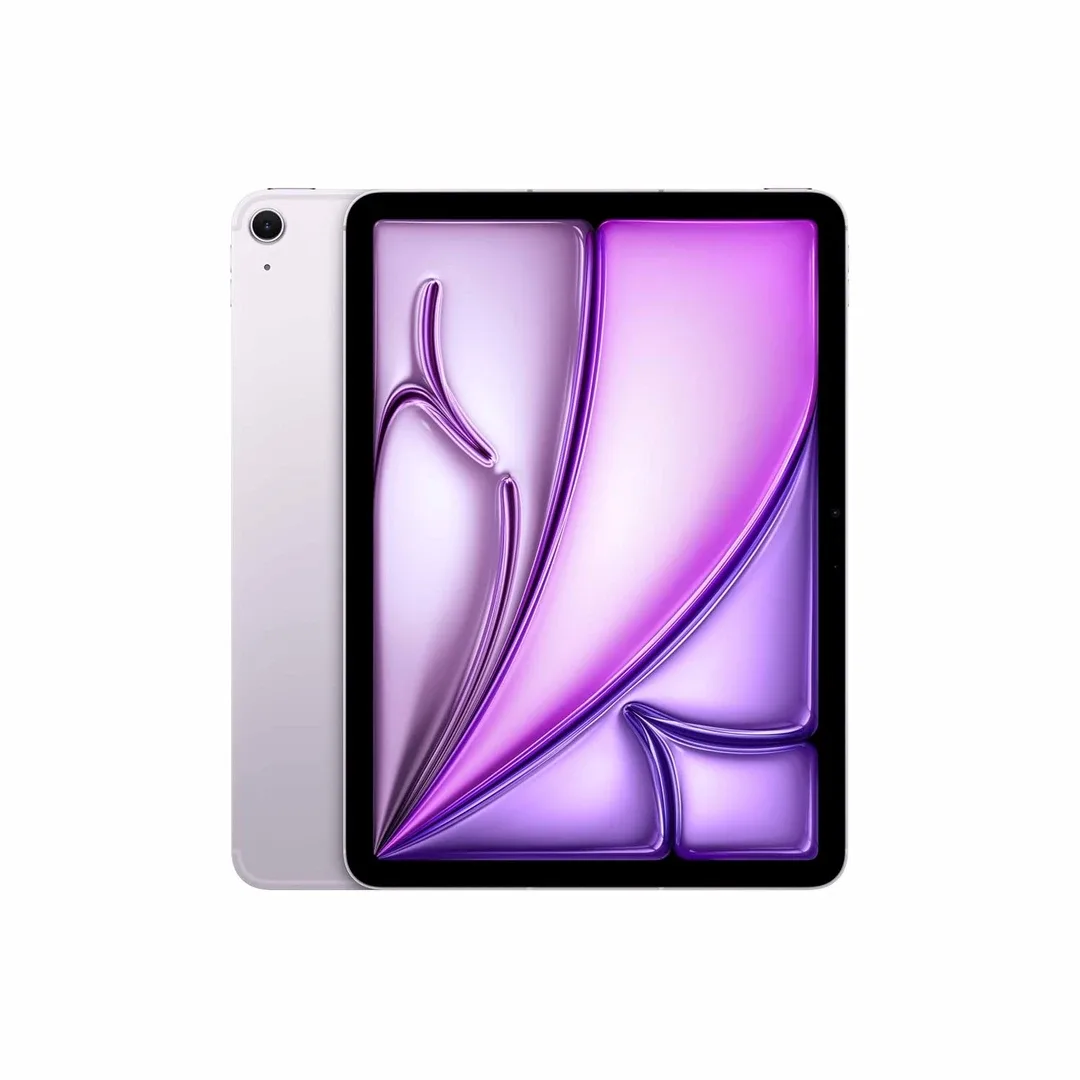
iPad Air (M4) 11-inch
Apple iPad Air M4 (2026) is a powerful and versatile tablet available in 11-inch and 13-inch sizes, combining Apple's M4 processor, 12GB unified memory, Apple Intelligence, advanced Liquid Retina displays and support for Apple Pencil Pro and Magic Keyboard. Released in India on 11 March 2026, the iPad Air M4 is designed for students, professionals, digital artists, content creators, gamers and anyone who wants more computing flexibility than a basic tablet without paying for an iPad Pro. With Wi-Fi 7, Bluetooth 6, an optional 5G cellular model, 12MP cameras and iPadOS 26 features, it brings several meaningful upgrades over earlier generations. Apple's original India launch pricing started at Rs. 64,900 for the 11-inch Wi-Fi model and Rs. 84,900 for the 13-inch Wi-Fi model, although current retail prices may differ.
Apple iPad Air M4 (2026) – 11-inch & 13-inch Liquid Retina Tablet with 12GB RAM, Apple Intelligence, Wi-Fi 7 and Apple Pencil Pro Support
The Apple iPad Air M4 2026 sits between the standard iPad and the more expensive iPad Pro in Apple's tablet lineup. It is aimed at users who need a combination of portability, processing power, creative flexibility and long-term usability.
Powered by the Apple M4 chip featuring an 8-core CPU, 9-core GPU and 16-core Neural Engine, the tablet is designed to handle demanding productivity applications, digital drawing, photo editing, video editing, gaming and multitasking.
Apple has increased unified memory to 12GB, compared with 8GB in the previous M3 generation. The M4 model also delivers 120GB/s of memory bandwidth, helping demanding apps and supported AI workloads access data efficiently.
Buyers can choose between the more compact 11-inch model and the spacious 13-inch version. Both share the same M4 processing configuration, available storage capacities, core camera specifications and accessory compatibility, while differing in screen size, display brightness, physical dimensions, battery capacity and weight.
For Indian consumers comparing the iPad Air M4 with the iPad Air M3, standard iPad, Android tablets, Windows laptops or Apple's premium iPad Pro, understanding these differences is essential before spending money.
This detailed product guide explores the official specifications, real-world use cases, India pricing, display technology, battery expectations, Apple Pencil support, keyboard functionality, gaming capabilities, productivity tools, advantages, limitations and frequently asked questions.
Apple iPad Air M4 2026 – Key Features at a Glance
- Product: Apple iPad Air with M4 chip.
- Model Year: 2026.
- India Availability: From 11 March 2026.
- Display Options: 11-inch and 13-inch models.
- Display Technology: Liquid Retina IPS LCD.
- 11-inch Resolution: 2360 x 1640 pixels.
- 13-inch Resolution: 2732 x 2048 pixels.
- Pixel Density: 264 pixels per inch.
- 11-inch Brightness: 500 nits.
- 13-inch Brightness: 600 nits.
- Colour Technology: Wide colour P3 and True Tone.
- Screen Construction: Fully laminated display with anti-reflective coating.
- Processor: Apple M4 chip.
- CPU: 8 cores, including 3 performance and 5 efficiency cores.
- GPU: 9-core graphics processor.
- Neural Engine: 16-core Apple Neural Engine.
- Unified Memory: 12GB.
- Memory Bandwidth: 120GB/s.
- Storage Options: 128GB, 256GB, 512GB and 1TB.
- Software at Launch: iPadOS 26.
- Artificial Intelligence: Apple Intelligence support.
- Rear Camera: 12MP Wide camera.
- Front Camera: Landscape 12MP Center Stage camera.
- Rear Video: Up to 4K at 60fps.
- Wireless Networking: Wi-Fi 7 with Apple N1 chip.
- Bluetooth: Bluetooth 6.
- Thread: Supported networking technology.
- Cellular Connectivity: Optional 5G model with Apple C1X modem.
- SIM: eSIM on cellular models.
- Security: Touch ID integrated into the top button.
- Charging Port: USB-C.
- USB Data Transfer: USB 3, up to 10Gb/s.
- External Display: Supports one display up to 6K at 60Hz.
- Speakers: Landscape stereo speakers.
- Microphones: Dual microphones.
- Stylus Support: Apple Pencil Pro and Apple Pencil (USB-C).
- Keyboard Support: Magic Keyboard for iPad Air.
- Battery Claim: Up to 10 hours of Wi-Fi web browsing or video playback.
- Colours: Blue, Purple, Starlight and Space Grey.
- 11-inch Weight: 464g for Wi-Fi model.
- 13-inch Weight: 616g for Wi-Fi model.
- Original 11-inch Launch Price: Starting at Rs. 64,900 in India.
- Original 13-inch Launch Price: Starting at Rs. 84,900 in India.
Premium Design and Build Quality
The Apple iPad Air M4 maintains the familiar thin, flat-sided design of recent iPad Air models. Its aluminium enclosure combines a relatively slim profile with a practical form factor suitable for handheld use, desk work and travel.
Both sizes measure 6.1mm in thickness, helping them remain portable despite their capable internal hardware.
The design features a flat display, rounded corners, carefully positioned volume controls, a top-mounted Touch ID button, a USB-C port and magnetic accessory connections.
The 11-inch model weighs approximately 464g in the Wi-Fi configuration, while the 13-inch model weighs around 616g. Cellular variants are approximately one gram heavier.
For users who regularly hold their tablet while reading or browsing, the smaller size may be more comfortable. The larger model offers more room for multitasking, drawing and editing, but its additional weight becomes noticeable during prolonged handheld use.
The design is available in four finishes, allowing buyers to choose a subtle professional appearance or a more colourful option.
Apple iPad Air M4 Colour Options
The 2026 iPad Air is offered in four official colours:
- Blue: A soft colour option with a modern appearance.
- Purple: A distinctive finish for users who prefer a little personality.
- Starlight: A light metallic finish with a neutral look.
- Space Grey: A darker, understated choice suitable for professional settings.
Colour availability can vary by retailer, storage capacity and connectivity configuration.
11-inch vs 13-inch iPad Air M4 – Which Size Is Better?
One of the most important decisions when buying the iPad Air M4 is choosing between its two display sizes.
The 11-inch iPad Air M4 is designed for users who value portability. It is easier to carry in smaller bags and more comfortable for reading, casual drawing or using while travelling.
The 13-inch iPad Air M4 offers additional workspace. This can be useful for multitasking, using a keyboard, editing documents, illustrating detailed artwork and working with multiple app windows.
| Feature | 11-inch iPad Air M4 | 13-inch iPad Air M4 |
|---|---|---|
| Actual Display Diagonal | 10.86 inches | 12.9 inches |
| Display Resolution | 2360 x 1640 | 2732 x 2048 |
| Pixel Density | 264 ppi | 264 ppi |
| Maximum Typical Brightness | 500 nits | 600 nits |
| Height | 247.6mm | 280.6mm |
| Width | 178.5mm | 214.9mm |
| Thickness | 6.1mm | 6.1mm |
| Wi-Fi Model Weight | 464g | 616g |
| Battery Capacity | 28.93Wh | 36.59Wh |
| Apple M4 Chip | Yes | Yes |
| Unified Memory | 12GB | 12GB |
| Apple Pencil Pro | Supported | Supported |
| Original India Launch Price | Rs. 64,900 onwards | Rs. 84,900 onwards |
Which should you choose? The 11-inch model is the more practical choice for regular travel and casual tablet use. The 13-inch model is better suited to users who specifically need a larger workspace for drawing, note-taking, editing or keyboard-based tasks.
Liquid Retina Display Quality
Both iPad Air M4 models feature Apple's Liquid Retina display technology using LED-backlit IPS panels.
The 11-inch version has a resolution of 2360 x 1640 pixels, while the 13-inch version offers 2732 x 2048 pixels.
Both displays deliver a pixel density of 264ppi, which is suitable for sharp text, detailed illustrations, photographs and typical tablet viewing distances.
Wide colour P3 support is particularly useful for photo editing, digital artwork and media that benefits from a wider colour range.
True Tone automatically adjusts the display's colour appearance according to surrounding lighting conditions.
The fully laminated construction reduces the perceived gap between the glass and display, which can make writing or drawing with Apple Pencil feel more direct.
An anti-reflective coating helps manage reflections, although screen visibility still depends on lighting conditions.
Display Brightness – 500 Nits vs 600 Nits
Apple rates the 11-inch iPad Air M4 at 500 nits of brightness and the 13-inch model at 600 nits.
The higher rated brightness of the 13-inch model can be beneficial in brighter indoor environments.
However, neither model should be assumed to perform identically to a high-brightness OLED tablet or the premium display available on selected iPad Pro models.
For students, readers and office users, both screens provide a strong combination of resolution, colour reproduction and usability.
Does the iPad Air M4 Have a 120Hz Display?
No. The 2026 iPad Air M4 uses a conventional 60Hz display rather than Apple's 120Hz ProMotion technology.
This is an important buying consideration.
A 120Hz display can make scrolling, supported animations and Apple Pencil interactions appear smoother, especially to users familiar with high-refresh-rate smartphones and tablets.
For document editing, streaming, reading and general productivity, 60Hz is still functional. However, buyers who specifically want a high-refresh-rate screen should consider this limitation before choosing the iPad Air.
Apple M4 Chip – Powerful Tablet Performance
The Apple M4 processor is one of the defining features of the 2026 iPad Air.
Its configuration includes an 8-core CPU with three performance cores and five efficiency cores.
The chip also features a 9-core GPU, a 16-core Neural Engine and 120GB/s of memory bandwidth.
These components are designed to support demanding applications while maintaining the power efficiency necessary for a portable tablet.
Potential workloads include:
- Multitasking between productivity applications.
- Editing high-resolution photographs.
- Working with large digital illustrations.
- Video editing in compatible applications.
- Handling complex spreadsheets and documents.
- Playing graphically demanding games.
- Running supported on-device AI features.
- Using creative applications with Apple Pencil.
- Connecting external displays for compatible workflows.
Apple states that the M4 iPad Air can deliver up to 30% faster performance than the previous M3 generation in its specified tests.
This is a manufacturer-reported result rather than an independent benchmark, and actual performance improvements depend on the application and workload.
12GB Unified Memory – A Major Upgrade
Apple increased unified memory from 8GB in the iPad Air M3 to 12GB in the M4 model.
That represents a 50% increase in available unified memory compared with the previous generation.
Unified memory is shared by different processing components rather than being separated into conventional CPU and graphics memory pools.
More memory can be beneficial for large files, demanding creative workloads, AI processing and multitasking.
However, 12GB of memory does not mean an iPad can run every desktop application available on macOS or Windows. Software compatibility remains determined by iPadOS and individual app developers.
9-Core GPU and Hardware-Accelerated Ray Tracing
The iPad Air M4 includes a 9-core graphics processor supporting hardware-accelerated ray tracing and second-generation mesh shading.
These technologies can improve supported 3D graphics workloads, including the representation of complex scenes, lighting and reflections.
Apple claims significantly faster ray-traced rendering compared with the older M1 iPad Air in selected tests.
For everyday buyers, the most relevant benefits are additional graphics processing capability for compatible games, design applications and professional creative tools.
Actual performance depends on how individual applications are optimised for the M4 chip.
Apple Intelligence – AI Features on iPad Air M4
The Apple iPad Air M4 supports Apple Intelligence, Apple's collection of AI-powered capabilities integrated into compatible parts of iPadOS.
Supported features can assist with writing, communication, image creation and productivity.
Examples include selected Writing Tools, notification and text assistance, image-related functions and supported intelligent system experiences.
The 16-core Neural Engine and 12GB unified memory help provide hardware support for on-device machine-learning tasks.
Some Apple Intelligence functions depend on supported languages, internet connectivity, software versions and regional availability.
Buyers in India should check the current compatibility list for their preferred language and specific feature rather than assuming every advertised AI function works in every language.
Is Apple Intelligence Actually Useful?
AI capabilities can be useful when they simplify tasks that users already perform.
For example, selected writing assistance can help improve or summarise text, while supported image tools can assist with creative workflows.
Students may find compatible transcription and study applications useful, while professionals may benefit from supported productivity features.
However, artificial intelligence is not a substitute for checking important facts, reviewing generated content or protecting private information.
The presence of Apple Intelligence should be treated as an additional feature rather than the sole reason to purchase an expensive tablet.
iPadOS 26 – Software and Productivity
The iPad Air M4 launched with iPadOS 26, bringing the capabilities of Apple's tablet operating system to the M4 hardware.
iPadOS supports touch interaction, keyboard input, Apple Pencil, file management, multitasking and a broad library of compatible applications.
Its windowing and productivity features make it useful for combining document work, browsing, communication and creative tasks.
However, iPadOS is different from macOS.
Buyers should verify that their required software is available in an appropriate iPad version before considering the tablet as a complete laptop replacement.
Multitasking and Window Management
The M4 iPad Air has enough processing capability for many demanding multitasking scenarios, but the usefulness of those capabilities depends on iPadOS and supported applications.
Users can work between documents, web pages and compatible apps using the system's multitasking features.
When paired with Magic Keyboard, the larger 13-inch version offers a more spacious environment for typing, reviewing research and organising projects.
The 11-inch version provides similar processing power in a smaller workspace.
For users who frequently manage several windows, the difference in display size can be more important than the difference in processor performance.
Apple Pencil Pro Support
The 2026 iPad Air M4 supports Apple Pencil Pro, making it suitable for users interested in handwritten notes, illustration, annotation and precision editing.
Apple Pencil Pro supports advanced interactions such as squeeze and barrel roll in compatible applications.
These capabilities can provide more natural control when selecting tools or adjusting brush behaviour.
The tablet also supports Apple Pencil hover, which lets compatible applications respond when the stylus is positioned close to the screen.
Apple Pencil Pro is sold separately, so its price should be included in the overall budget.
Apple Pencil USB-C Compatibility
Buyers who mainly want to write notes or perform basic drawing tasks can also consider Apple Pencil (USB-C).
This accessory supports essential stylus interaction but does not provide every advanced feature associated with Apple Pencil Pro.
It may be the more economical choice for students who need handwriting, PDF annotation and occasional sketches rather than professional illustration controls.
Before purchasing a stylus, confirm compatibility with the exact iPad Air model and consider which features your preferred applications support.
Is iPad Air M4 Good for Digital Artists?
The combination of the M4 chip, fully laminated Liquid Retina display and Apple Pencil Pro support makes the iPad Air M4 a capable option for digital artwork.
Compatible drawing applications can take advantage of pen input, colour tools and available processing resources.
The 13-inch model provides a larger canvas, which may be useful for detailed illustrations and reference material.
The 11-inch model is easier to carry and may suit artists who sketch frequently while travelling.
Artists should remember that the iPad Air uses a 60Hz LCD panel rather than the ProMotion OLED display found on premium iPad Pro configurations.
For professional users sensitive to display refresh rate, contrast or specific colour workflows, this difference may be worth considering.
Magic Keyboard – Turning iPad Air into a Productivity Device
The iPad Air M4 is compatible with Apple's Magic Keyboard for iPad Air.
The keyboard attaches magnetically and connects through the Smart Connector.
It includes a built-in trackpad, a 14-key function row and a USB-C charging connector.
These additions make tasks such as writing documents, navigating spreadsheets and managing supported application windows more convenient.
For students, remote workers and professionals, the keyboard can make the tablet more practical for longer typing sessions.
However, Magic Keyboard is sold separately and adds both expense and weight.
Apple iPad Air M4 for Students
Students are one of the main groups likely to consider the iPad Air M4.
The tablet can be useful for:
- Taking handwritten lecture notes.
- Reading and annotating PDF textbooks.
- Viewing educational videos.
- Organising class material.
- Writing assignments with a compatible keyboard.
- Participating in online classes and video calls.
- Researching information through Safari and supported apps.
- Creating presentations.
- Drawing diagrams and illustrations.
- Using compatible educational applications.
For students who mostly read, browse and take simple notes, a less expensive iPad may already be sufficient.
The M4 model becomes more attractive when higher processing capability, a larger workspace or advanced creative functionality is important.
Education Pricing in India
At its March 2026 launch, Apple announced education starting prices of Rs. 59,900 for the 11-inch iPad Air M4 and Rs. 79,900 for the 13-inch version.
Education discounts depend on Apple's eligibility requirements and current programme terms.
Students should verify current education pricing and any eligible seasonal promotions directly with Apple before purchasing.
The availability of discounted accessories or special offers may change throughout the year.
Apple iPad Air M4 for Working Professionals
Professionals can use the iPad Air M4 for email, documents, presentations, virtual meetings, research, supported business applications and portable content management.
The M4 chip provides considerable processing headroom for compatible productivity workloads.
The 13-inch model can be especially useful for users who frequently work with larger documents or multiple application windows.
Nevertheless, professionals should verify the availability of specialised enterprise software, desktop plugins and advanced workflows before replacing a laptop with an iPad.
Apple iPad Air M4 for Video Editing
The M4 chip includes dedicated media processing capabilities for supported video codecs.
Hardware features include H.264, HEVC, ProRes and ProRes RAW acceleration, along with AV1 decoding.
Compatible video-editing apps such as Final Cut Pro for iPad can use the tablet's processing resources for creative tasks.
The M4 GPU and available unified memory are relevant for projects involving multiple layers, effects and high-resolution media.
However, actual editing performance depends on project complexity, app version, storage availability and external accessories.
Professional editors should also confirm that required plugins, export formats and collaboration workflows are supported in the iPad version of their software.
Photo Editing and Creative Applications
Wide colour P3 support, the laminated display and Apple Pencil compatibility make the iPad Air M4 suitable for many photography and design workflows.
Compatible applications can support image correction, masking, retouching and illustration.
Apple highlights creative applications such as Pixelmator Pro as examples of software that can benefit from M4 processing capability.
For users who regularly review photographs or create visual content, the 13-inch display provides more room for detailed work.
However, photographers requiring specific colour calibration and advanced desktop workflows should assess the available app features before relying on the tablet as their primary workstation.
Gaming Performance on iPad Air M4
The Apple M4 chip provides capable graphics hardware for supported iPad games.
The 9-core GPU, hardware-accelerated ray tracing and available memory can benefit compatible titles with demanding graphics.
The device also offers a large high-resolution display and landscape stereo speakers for entertainment.
However, gaming performance varies significantly by title, settings, thermal conditions and software optimisation.
The 60Hz screen also means users should not expect the same high-refresh-rate display experience offered by some gaming-focused tablets.
12MP Rear Camera – Photos and Document Scanning
The iPad Air M4 includes a 12MP Wide rear camera with an f/1.8 aperture.
Apple lists autofocus with Focus Pixels, Smart HDR 4, digital zoom up to 5x and supported panoramic capture.
For most tablet buyers, the rear camera is particularly useful for scanning documents, capturing reference images and participating in certain creative or educational workflows.
It can also record photographs and videos when a phone or dedicated camera is not available.
However, the iPad Air should not be confused with a premium multi-camera smartphone designed around advanced telephoto photography or specialised mobile imaging.
4K Video Recording Capabilities
The rear camera supports 4K recording at 24fps, 25fps, 30fps or 60fps.
It also supports 1080p recording, slow-motion video at supported frame rates and stabilisation features.
This makes the tablet capable of recording presentations, demonstrations, educational material and casual video footage.
Serious video creators may still prefer dedicated cameras or smartphones with more versatile lens systems.
Landscape 12MP Center Stage Front Camera
The iPad Air M4 includes a landscape-oriented 12MP Center Stage front camera.
Its position is especially convenient when the tablet is used horizontally with a keyboard or stand.
Center Stage helps keep the user appropriately framed during compatible video calls.
This can be beneficial for online classes, virtual meetings, family calls and remote collaboration.
The front camera supports 1080p video recording and includes features such as Smart HDR 4 and Retina Flash with True Tone.
Speakers and Microphones
Both iPad Air M4 sizes feature landscape stereo speakers and dual microphones.
The speakers are positioned to support audio playback when the tablet is held horizontally.
For movies, music, educational content and video calls, stereo output provides a more spacious listening experience than a single speaker arrangement.
Apple also highlights improved sound quality on the larger 13-inch model compared with some earlier iPad Air generations.
The microphones support calling, video recording and audio recording.
Wi-Fi 7 – Faster Wireless Connectivity
The 2026 iPad Air M4 introduces Apple's N1 wireless networking chip.
This enables support for Wi-Fi 7, Bluetooth 6 and Thread networking technology.
Wi-Fi 7 can provide benefits when connected to compatible networking equipment, although real-world speeds depend on router capabilities, interference, broadband performance and local network conditions.
Apple also identifies improvements to wireless reliability and features such as AirDrop and Personal Hotspot.
Buyers should not expect maximum Wi-Fi 7 speeds when using an older router or a slow internet plan.
5G Cellular Connectivity and Apple C1X Modem
The Wi-Fi + Cellular versions of the iPad Air M4 include Apple's C1X cellular modem.
The modem supports compatible 5G and LTE networks, allowing users to access mobile data without relying exclusively on Wi-Fi.
Apple claims up to 50% faster cellular data performance compared with the previous M3 generation in its specified testing conditions.
The company also reports improved modem energy efficiency in selected cellular usage scenarios.
Actual network performance depends on the mobile operator, coverage, network congestion, subscription and location.
eSIM Support – Important for Indian Buyers
The cellular iPad Air M4 uses eSIM technology and does not support physical SIM cards.
Indian buyers considering the cellular version should confirm that their preferred operator can activate a compatible eSIM plan for the device.
The cellular model is more expensive than the Wi-Fi-only version.
For users who regularly have access to reliable Wi-Fi or can share their smartphone's internet connection, the Wi-Fi model may offer better value.
For frequent travellers, field workers and students who need mobile internet away from Wi-Fi networks, the cellular version can provide additional flexibility.
Touch ID – Secure Fingerprint Authentication
The iPad Air M4 uses Touch ID integrated into the top button.
This allows users to unlock the device, authorise supported purchases and access compatible secure applications using their fingerprint.
Touch ID provides a familiar authentication method, but buyers should note that this model does not include the Face ID system used by selected iPad Pro devices.
USB-C Connectivity and External Displays
The iPad Air M4 includes a USB-C port supporting charging, DisplayPort output and USB 3 data transfer speeds of up to 10Gb/s.
The port can be useful for connecting supported storage devices, adapters and external displays.
Apple lists support for one external display at up to 6K resolution and 60Hz.
External monitor functionality depends on the connected display, adapter, cable and supported iPadOS features.
For professionals handling photographs, presentations and compatible desktop-style workflows, external display support can increase flexibility.
Battery Life – Up to 10 Hours
Apple rates the iPad Air M4 for up to 10 hours of web browsing on Wi-Fi or watching video.
Wi-Fi + Cellular models are rated for up to 9 hours of web browsing using a mobile data network.
These figures are based on Apple's controlled testing rather than guaranteed battery life in every situation.
Demanding games, video editing, high screen brightness, cellular connectivity and intensive multitasking may reduce runtime.
Light reading, document work and less demanding activities may produce different results.
The 11-inch model contains a 28.93Wh battery, while the 13-inch version uses a larger 36.59Wh battery to support its bigger display.
Charging and Power Adapter
The iPad Air M4 charges through its USB-C port.
Apple's India product specifications list a USB-C charging cable and a 20W USB-C power adapter in the package, while some regional support documentation lists the cable without an adapter.
Because packaging can differ by market and retailer, buyers should confirm the included accessories on the exact Indian retail listing or package.
The tablet does not advertise the extremely high charging wattages commonly found on certain Android smartphones.
Storage Options – 128GB, 256GB, 512GB and 1TB
Apple offers four storage configurations for both the 11-inch and 13-inch iPad Air M4 models.
- 128GB: Suitable for general use, studying, browsing and moderate app installation.
- 256GB: A useful balance for students, professionals and users who download media or keep more documents locally.
- 512GB: Better suited to larger creative projects, offline media and extensive app libraries.
- 1TB: Intended for users who require substantial local storage for demanding workflows.
Internal storage is not designed to be expanded with a microSD card. Buyers should therefore consider their expected long-term storage needs before selecting a configuration.
External storage may be useful through compatible USB-C accessories, but it does not replace internal storage for every app or system function.
Apple iPad Air M4 Price in India
The iPad Air M4 launched in India in March 2026 with the following official starting prices:
| Model | Original March 2026 India Starting Price |
|---|---|
| 11-inch Wi-Fi, 128GB | Rs. 64,900 |
| 11-inch Wi-Fi + Cellular, 128GB | Rs. 79,900 |
| 13-inch Wi-Fi, 128GB | Rs. 84,900 |
| 13-inch Wi-Fi + Cellular, 128GB | Rs. 99,900 |
Pricing clarification: These are the official prices announced at the March 2026 launch, not guaranteed current selling prices.
During a November 2026 check, Apple's India online shop displayed a starting price of Rs. 89,900 for iPad Air. Final prices depend on the selected configuration, current Apple pricing, retailer discounts and eligible offers.
For the latest price, buyers should check Apple's official India store and authorised retailers before purchasing.
Apple Pencil and Magic Keyboard Pricing in India
Apple announced the following accessory prices in India at the iPad Air M4 launch:
| Accessory | Original India Launch Price |
|---|---|
| Apple Pencil Pro | Rs. 11,900 |
| Apple Pencil (USB-C) | Rs. 7,900 |
| Magic Keyboard for 11-inch iPad Air | Rs. 26,900 |
| Magic Keyboard for 13-inch iPad Air | Rs. 29,900 |
These accessories are not included in the standard tablet purchase.
For buyers creating a complete study or productivity setup, accessory spending can add substantially to the total cost.
Total Ownership Cost – iPad Air with Accessories
Using Apple's original launch prices as examples, an 11-inch iPad Air M4 with Apple Pencil Pro and Magic Keyboard would have cost approximately Rs. 1,03,700 before any discounts or additional purchases.
A 13-inch iPad Air M4 with the same type of accessories would have cost approximately Rs. 1,26,700 at launch.
These example totals demonstrate why the base tablet price should not be treated as the complete cost of a keyboard-and-stylus setup.
Buyers should also consider protective cases, storage requirements, app subscriptions and optional AppleCare coverage where relevant.
Apple iPad Air M4 vs iPad Air M3
The iPad Air M4 replaces the previous M3-powered generation with faster processing and updated connectivity.
| Feature | iPad Air M3 (2025) | iPad Air M4 (2026) |
|---|---|---|
| Processor | Apple M3 | Apple M4 |
| Unified Memory | 8GB | 12GB |
| CPU Configuration | 8-core | 8-core |
| GPU Configuration | 9-core | 9-core |
| AI Processing | 16-core Neural Engine | 16-core Neural Engine with newer performance capabilities |
| Wireless Connectivity | Wi-Fi 6E | Wi-Fi 7 |
| Bluetooth | Bluetooth 5.3 | Bluetooth 6 |
| Cellular Modem | Earlier cellular hardware | Apple C1X |
| Display Sizes | 11-inch and 13-inch | 11-inch and 13-inch |
| Apple Pencil Pro | Supported | Supported |
| Apple Intelligence | Supported | Supported |
Apple reports up to 30% faster performance in selected tests compared with the M3 generation.
However, M3 iPad Air owners who mainly browse, stream videos and write notes may not notice a dramatic difference in everyday tasks.
The M4 upgrade is more relevant for users who need additional memory, improved wireless capabilities or better performance in demanding applications.
Should Existing iPad Air M3 Owners Upgrade?
For many existing M3 owners, upgrading after a single generation may be unnecessary.
Both generations provide capable processing, modern iPad software, Apple Pencil compatibility and access to a similar range of common applications.
The M4 model adds performance and connectivity improvements, but the benefit will depend on how the tablet is used.
Users frequently working with larger files, demanding creative apps or memory-intensive workloads may have stronger reasons to upgrade.
For basic productivity and entertainment, keeping an existing M3 model may offer better value.
Apple iPad Air M4 vs iPad Air M1
The difference between the M4 iPad Air and the earlier M1 generation is more substantial.
Apple claims up to 2.3 times faster performance in selected tests compared with the M1 iPad Air.
The M4 generation also offers increased unified memory, a newer wireless system and the choice of a 13-inch display.
For long-term M1 owners, improvements in creative performance, multitasking and supported AI features may make an upgrade more attractive.
Nevertheless, buyers should compare the total upgrade cost with the actual limitations of their existing device.
Apple iPad Air M4 vs Standard iPad
The standard iPad is designed to offer a more affordable entry point into the Apple tablet ecosystem.
The iPad Air M4 adds a more capable processor, additional unified memory, advanced accessory compatibility and a broader selection of premium productivity features.
For basic studying, web browsing, reading and streaming, the standard iPad may be sufficient.
The iPad Air becomes more appealing for digital illustration, demanding multitasking, creative applications and buyers who want additional processing capacity for future software requirements.
Apple iPad Air M4 vs iPad Pro
The iPad Pro is positioned above the iPad Air in Apple's product range.
Premium iPad Pro models offer higher-end display technology, advanced hardware features and additional capabilities designed for demanding professional workflows.
One of the clearest differences is the display. The iPad Air M4 uses a 60Hz Liquid Retina LCD, whereas premium iPad Pro models feature OLED technology and ProMotion support.
Professional users who prioritise advanced display performance, specific accessories or the highest processing configurations may prefer the iPad Pro.
For buyers who need strong performance but do not require every Pro-level feature, the iPad Air M4 can be a more economical choice.
Can the iPad Air M4 Replace a Laptop?
The iPad Air M4 can replace a laptop for some users, but it is not a complete replacement for every workflow.
With a compatible keyboard, users can perform many common tasks such as writing documents, sending email, participating in video meetings and managing web-based services.
Creative apps and external display support extend its usefulness.
However, specialised desktop software, complex file-management requirements, certain programming tools and some professional applications may work better on macOS or Windows.
Buyers should evaluate their exact software needs before choosing a tablet instead of a laptop.
Environmental and Sustainability Features
Apple reports that the iPad Air M4 contains 30% recycled material by mass, excluding packaging and in-box accessories.
The company also identifies 100% recycled aluminium in the enclosure and 100% recycled cobalt in the battery.
Apple states that renewable electricity is used for a portion of manufacturing across the product supply chain.
These are manufacturer-reported environmental figures and should be interpreted according to Apple's published methodology.
What's in the Box?
According to Apple's India product specification page, the package includes:
- Apple iPad Air M4 tablet.
- USB-C charging cable, 1 metre.
- 20W USB-C power adapter, as listed on Apple's India specifications page.
Some regional support listings differ on whether a power adapter is included, so buyers should verify the exact retail package before purchase.
Apple Pencil Pro, Apple Pencil (USB-C), Magic Keyboard and protective cases are sold separately.
Advantages of Apple iPad Air M4 2026
- Powerful Apple M4 processor.
- 12GB unified memory across configurations.
- 11-inch and 13-inch display choices.
- Sharp Liquid Retina screens with P3 colour support.
- Lightweight and slim aluminium design.
- Excellent range of compatible tablet applications.
- Apple Intelligence support.
- Apple Pencil Pro compatibility.
- Magic Keyboard compatibility.
- Wi-Fi 7 and Bluetooth 6.
- Optional 5G cellular connectivity.
- Landscape 12MP Center Stage front camera.
- 4K video recording.
- USB-C with USB 3 transfer capability.
- External display support up to 6K at 60Hz.
- Touch ID fingerprint authentication.
- Up to 10 hours of Apple-rated Wi-Fi browsing or video playback.
- Storage options up to 1TB.
- Suitable for studying, illustration and many productivity workflows.
Disadvantages and Buying Considerations
- 60Hz display instead of 120Hz ProMotion.
- LCD panel rather than OLED technology.
- No Face ID.
- Apple Pencil sold separately.
- Magic Keyboard sold separately.
- Full accessory setup can be expensive.
- No microSD card expansion.
- Cellular variants cost extra.
- Cellular models use eSIM rather than physical SIM cards.
- Some advanced software workflows remain limited by iPadOS.
- Base 128GB configuration may be restrictive for large media projects.
- Not every Apple Intelligence feature is available in every language or region.
- Major performance improvements may not be noticeable during light tasks.
- The larger 13-inch model is less comfortable for extended handheld use.
- Current pricing can differ significantly from original launch pricing.
Who Should Buy the Apple iPad Air M4?
Students: Those who regularly take digital notes, annotate textbooks, attend online classes and need capable study applications.
Digital Artists: Users who want Apple Pencil Pro compatibility and a capable tablet for compatible illustration and design software.
Content Creators: People interested in supported photo editing, video editing, storyboarding and portable creative workflows.
Working Professionals: Users who manage documents, presentations, emails and supported business applications while travelling.
Apple Ecosystem Users: People who already own compatible Apple devices and want an iPad for complementary tasks.
Entertainment Users Seeking Premium Performance: Buyers who want a large display, capable hardware and broad app support for games and media.
Who Should Consider Other Tablets?
Buyers who mainly watch videos and browse websites may find a lower-priced tablet more economical.
Users who prioritise OLED contrast or 120Hz scrolling should compare premium iPad Pro models and other high-refresh-rate tablets.
People who require traditional desktop software should consider whether a laptop is a better primary device.
Students with strict budgets should calculate the additional cost of a stylus and keyboard before committing to the purchase.
Is Apple iPad Air M4 Worth Buying in India in 2026?
The Apple iPad Air M4 is worth considering for buyers who need more than basic tablet functionality.
The M4 chip, 12GB unified memory, Apple Pencil Pro support and optional 13-inch display make it useful for demanding studies, creative work and portable productivity.
However, the device is not without compromises. Its 60Hz LCD screen may disappoint users expecting premium OLED or 120Hz display technology, while separately priced accessories can make the overall setup expensive.
The ideal buying decision depends on display-size preference, software needs, current price and whether Apple Pencil or Magic Keyboard will genuinely be used.
For many students and regular users, the 11-inch Wi-Fi model offers the more balanced combination of portability and affordability.
The 13-inch version is more attractive when additional workspace is a priority.
Frequently Asked Questions About Apple iPad Air M4 2026
1. When was the Apple iPad Air M4 launched in India?
Apple announced the iPad Air M4 on 2 March 2026. Pre-orders began on 4 March, with availability starting on 11 March 2026.
2. What is the price of the iPad Air M4 in India?
The 11-inch Wi-Fi model originally launched at Rs. 64,900, while the 13-inch Wi-Fi model started at Rs. 84,900. Current retail prices may differ, so buyers should check Apple's official India store and authorised sellers.
3. What display sizes are available?
The Apple iPad Air M4 is available in 11-inch and 13-inch versions, both featuring Liquid Retina IPS LCD displays.
4. Which processor does the iPad Air M4 use?
It uses the Apple M4 chip with an 8-core CPU, 9-core GPU and 16-core Neural Engine.
5. How much RAM does the iPad Air M4 have?
The iPad Air M4 includes 12GB of unified memory.
6. What storage options are available?
Both sizes are available with 128GB, 256GB, 512GB and 1TB of internal storage.
7. Does the iPad Air M4 support Apple Intelligence?
Yes. The iPad Air M4 supports Apple Intelligence, although feature availability depends on software version, language, region and individual requirements.
8. Does the iPad Air M4 have a 120Hz display?
No. The iPad Air M4 features a 60Hz display rather than Apple's 120Hz ProMotion technology.
9. Is the iPad Air M4 display OLED?
No. It uses an LED-backlit Liquid Retina IPS LCD panel rather than OLED technology.
10. Is the iPad Air M4 good for students?
Yes. It can be useful for note-taking, PDF annotation, online classes, research, presentations and compatible study applications. Students should also consider the cost of optional accessories.
11. Does the iPad Air M4 support Apple Pencil Pro?
Yes. Both the 11-inch and 13-inch models support Apple Pencil Pro.
12. Does Apple Pencil come free with the iPad Air M4?
No. Apple Pencil accessories are normally sold separately, although specific education promotions may vary.
13. Can I use Apple Pencil USB-C with iPad Air M4?
Yes. The iPad Air M4 supports Apple Pencil (USB-C) as well as Apple Pencil Pro.
14. Does the iPad Air M4 support Magic Keyboard?
Yes. Apple's compatible Magic Keyboard for iPad Air can be purchased separately.
15. Can iPad Air M4 replace a laptop?
It can replace a laptop for selected workflows such as documents, browsing, communication and compatible creative apps. Specialised desktop software may still require macOS or Windows.
16. Does the iPad Air M4 support 5G?
Yes. Wi-Fi + Cellular configurations support compatible 5G networks through Apple's C1X modem.
17. Can I insert a physical SIM card?
No. The cellular iPad Air M4 uses eSIM technology and does not support physical SIM cards.
18. Does the iPad Air M4 support Wi-Fi 7?
Yes. The Apple N1 wireless chip enables Wi-Fi 7 support, subject to compatible networks and regional availability.
19. Which Bluetooth version is supported?
The iPad Air M4 supports Bluetooth 6.
20. How good is the rear camera?
The tablet has a 12MP Wide rear camera with an f/1.8 aperture, Smart HDR 4 and support for 4K video recording.
21. Does it have Center Stage for video calls?
Yes. It includes a landscape-oriented 12MP Center Stage front camera for compatible video calls.
22. What is the battery life of the iPad Air M4?
Apple rates both sizes for up to 10 hours of Wi-Fi browsing or video playback. Cellular web browsing is rated for up to 9 hours on cellular configurations. Actual battery life varies.
23. Does the iPad Air M4 support fast charging?
The tablet charges through USB-C. Charging time depends on the adapter, cable and usage conditions, and buyers should not assume the ultra-high charging wattages advertised by certain smartphones.
24. Does the iPad Air M4 have Face ID?
No. It uses Touch ID fingerprint authentication integrated into the top button.
25. Is iPad Air M4 good for gaming?
Its M4 chip and 9-core GPU provide capable hardware for compatible games, including selected graphically demanding titles. Performance depends on game optimisation and settings, while the display is limited to 60Hz.
26. Can I edit 4K videos on iPad Air M4?
Yes. Compatible applications can edit high-resolution video, and the M4 chip includes dedicated media processing capabilities. App features and project complexity determine the practical editing experience.
27. What is the difference between iPad Air M3 and M4?
The M4 generation offers a newer processor, 12GB unified memory instead of 8GB, Wi-Fi 7, Bluetooth 6 and updated cellular hardware. Apple claims up to 30% faster performance in selected tests.
28. Is the 13-inch iPad Air M4 better than the 11-inch?
The 13-inch version provides a larger and brighter display, making it suitable for drawing and multitasking. The 11-inch version is lighter, more portable and launched at a lower price. Both use the same core M4 processing configuration.
29. Is there a headphone jack or microSD slot?
The iPad Air M4 does not include a traditional 3.5mm headphone jack or microSD card slot. Supported audio accessories and external storage can connect through compatible wireless or USB-C solutions.
30. Is the Apple iPad Air M4 worth buying in 2026?
The iPad Air M4 is worth considering for students, artists, professionals and users who need strong tablet performance with Apple Pencil and keyboard compatibility. However, buyers should consider its 60Hz LCD display, accessory costs, software requirements and current India retail price before purchasing.
Final Verdict – Apple iPad Air M4 2026
The Apple iPad Air M4 (2026) combines a powerful processor, 12GB unified memory, modern wireless connectivity and flexible accessory support in two practical screen sizes.
Its greatest strengths are the M4 processing capability, Apple Pencil Pro compatibility, productivity-focused iPadOS experience, landscape Center Stage camera and the option of a larger 13-inch workspace.
At the same time, buyers should recognise the compromises. The tablet retains a 60Hz LCD screen, lacks Face ID and requires additional spending for the Apple Pencil and Magic Keyboard.
For users who genuinely need creative capabilities, advanced note-taking and portable productivity, the iPad Air M4 offers a strong middle ground between the standard iPad and the premium iPad Pro.
Overall, the Apple iPad Air M4 is a capable premium tablet for 2026, but its value depends on the price you pay, the accessories you need and whether iPadOS supports your everyday work.
Review2Rate editorial note: Specifications are based on Apple's official technical documentation and March 2026 product announcement, checked in November 2026. Performance and battery figures attributed to Apple are manufacturer-reported claims, not independent Review2Rate laboratory test results. Prices and software availability may change.
Reviews
Be the first to review iPad Air (M4) 11-inch
First reviews get the most views, and you earn points toward this month's prize.
Write the first review